Sequence Diagrams
Sequence diagrams model interactions between participants over time. Messages flow downward in the order they appear in the source.
Basic structure
diagram sequence;

client: Rectangle;
server: Rectangle;
database: Rectangle;

client -> server: "POST /login";
server -> database: "SELECT user";
database -> server: "User record";
server -> client: "200 OK";
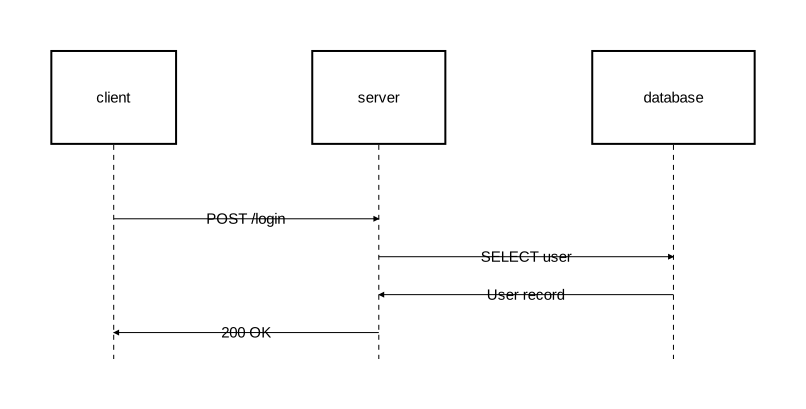
Participants are arranged horizontally. Each has a lifeline extending downward, and messages appear as horizontal arrows between them.
Participants and types
Participants are declared the same way as components — with an identifier, optional display name, and a type:
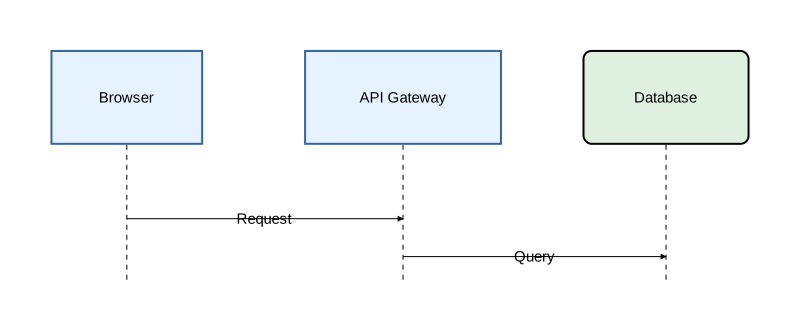
diagram sequence;

type Service = Rectangle [fill_color="#e6f3ff", stroke=[color="#336699"]];
type Store = Rectangle [fill_color="#e0f0e0", rounded=8];

client as "Browser": Service;
api as "API Gateway": Service;
db as "Database": Store;

client -> api: "Request";
api -> db: "Query";
Relation types
The same four relation types work in sequence diagrams:
client -> server: "Request";       // forward arrow
client <- server: "Push event";    // backward arrow
client <-> server: "Healthcheck";  // bidirectional
client - server: "Connection pool"; // plain line
See Relations for styling and typed relations.
Self-messages
A participant can send a message to itself:
api -> api: "Rate limit check";
Activation blocks
Activation marks when a participant is actively processing. Use the block form to group related messages:
diagram sequence;

client: Rectangle;
server: Rectangle;
db: Rectangle;

client -> server: "Request";
activate server {
    server -> db: "Query";
    activate db {
        db -> server: "Result";
    };
    server -> client: "Response";
};
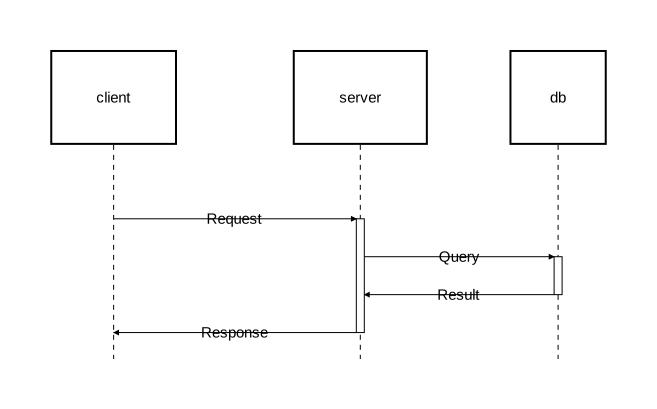
Activation blocks can be nested to any depth. The visual result is stacked rectangles on the lifeline.
Explicit activate/deactivate
For cases where activations overlap without one containing the other, use explicit statements:
diagram sequence;

type AsyncArrow = Arrow [stroke=[color="#888888", style="dashed"]];

client: Rectangle;
server: Rectangle;
worker: Rectangle;

client -> server: "POST /export";
activate server;
server -> @AsyncArrow worker: "Start export job";
activate worker;
server -> client: "202 Accepted";
deactivate server;
worker -> @AsyncArrow client: "Export ready";
deactivate worker;
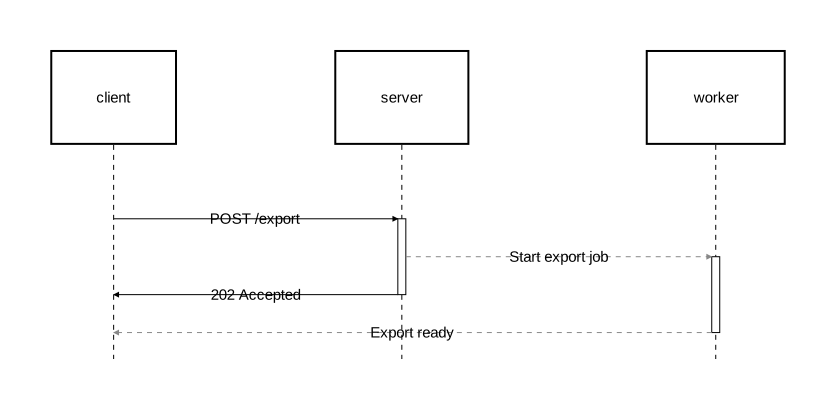
Here server and worker are both active concurrently, but neither activation fully contains the other — this cannot be expressed with nested block form.
Custom activation types
type CriticalActivation = Activate [
    fill_color="rgba(255,180,180,0.4)",
    stroke=[color="red", width=2.0]
];

activate @CriticalActivation server {
    server -> db: "DELETE cascade";
};
See Activation for the full activation syntax.
Fragments
Fragments group related interactions into labeled sections. Orrery provides sugar keywords for common UML interaction operators.
alt/else — conditional branching
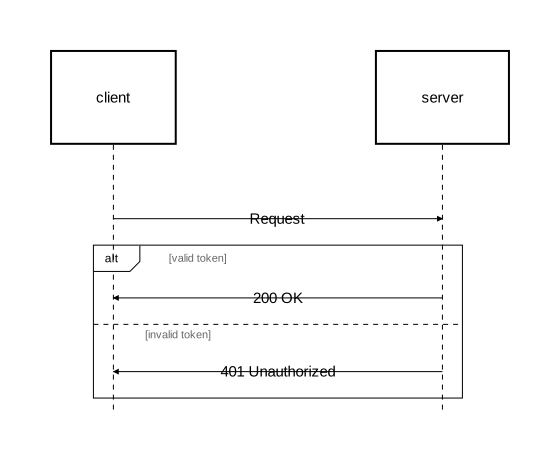
diagram sequence;

client: Rectangle;
server: Rectangle;

client -> server: "Request";
alt "valid token" {
    server -> client: "200 OK";
} else "invalid token" {
    server -> client: "401 Unauthorized";
};
opt — optional execution
opt "cache hit" {
    server -> cache: "Lookup";
    cache -> server: "Cached data";
};
loop — iteration
loop "for each page" {
    client -> server: "GET /items?page=N";
    server -> client: "Page data";
};
par — parallel execution
par "fetch user data" {
    server -> db: "SELECT users";
} par "fetch settings" {
    server -> db: "SELECT settings";
};
break — interruption
break "rate limit exceeded" {
    server -> client: "429 Too Many Requests";
};
critical — atomic region
critical "payment transaction" {
    server -> db: "BEGIN";
    server -> db: "UPDATE balance";
    server -> db: "COMMIT";
};
Custom fragment types
You can use fragment/section directly for custom operators:
fragment "review" {
    section "approved" {
        server -> client: "200 OK";
    };
    section "rejected" {
        server -> client: "403 Forbidden";
    };
};
See Fragments for the full syntax.
Nesting fragments
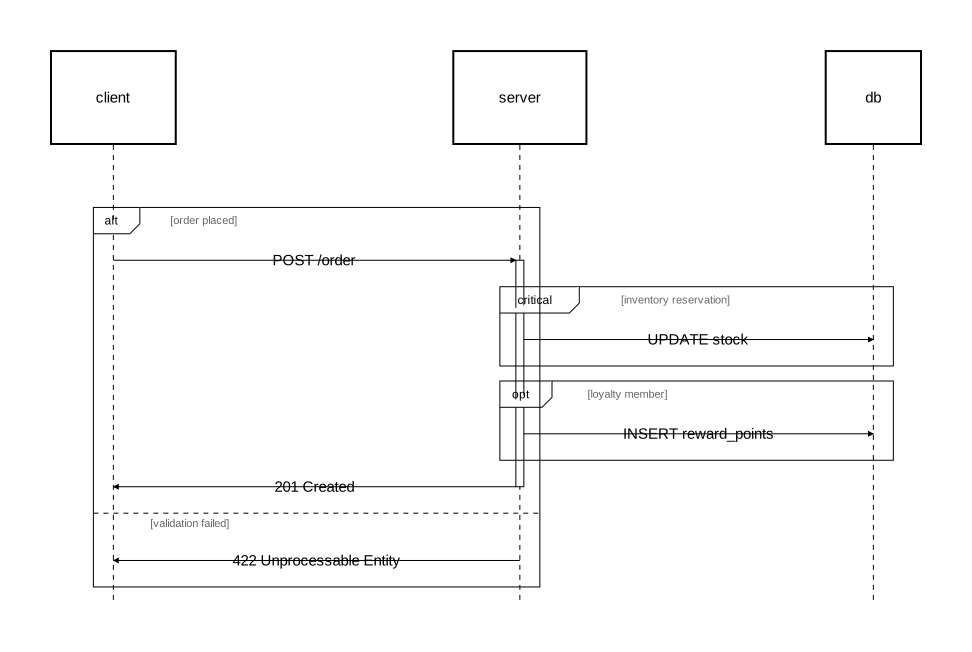
Fragments can be nested inside other fragments and combined with activation:
diagram sequence;

client: Rectangle;
server: Rectangle;
db: Rectangle;

alt "order placed" {
    client -> server: "POST /order";

    activate server {
        critical "inventory reservation" {
            server -> db: "UPDATE stock";
        };

        opt "loyalty member" {
            server -> db: "INSERT reward_points";
        };

        server -> client: "201 Created";
    };
} else "validation failed" {
    server -> client: "422 Unprocessable Entity";
};
Styling fragments
alt [background_color="rgba(255,220,220,0.15)", border_stroke=[color="red"]] "auth check" {
    client -> server: "Authenticated request";
} else "rejected" {
    server -> client: "Forbidden";
};
See Fragments for all available attributes and custom fragment types.
Notes
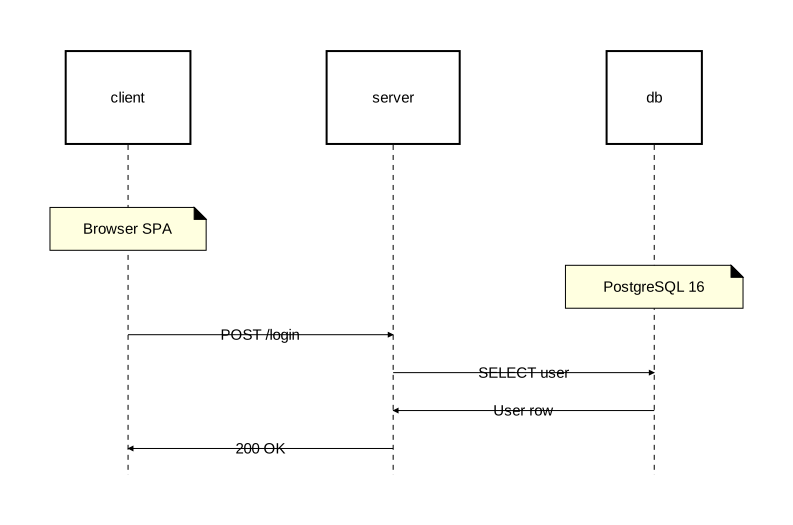
Attach annotations to participants with the on attribute:
diagram sequence;

client: Rectangle;
server: Rectangle;
db: Rectangle;

note [on=[client]]: "Browser SPA";
note [on=[db]]: "PostgreSQL 16";

client -> server: "POST /login";
server -> db: "SELECT user";
db -> server: "User row";
server -> client: "200 OK";
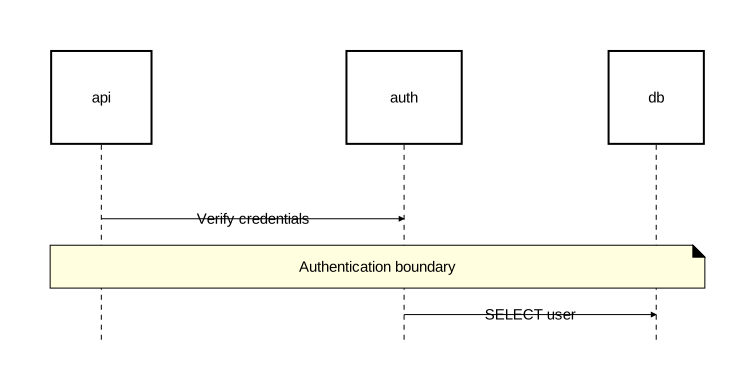
Notes can span multiple participants:
diagram sequence;

api: Rectangle;
auth: Rectangle;
db: Rectangle;

api -> auth: "Verify credentials";
note [on=[api, auth, db]]: "Authentication boundary";
auth -> db: "SELECT user";
See the Notes reference for margin notes, alignment, and styling.