Notes
Notes are annotations that add context to your diagrams. They can be attached to specific elements, span multiple elements, or appear in the diagram margins.
Notes work in both component and sequence diagrams.
Syntax
note [@TypeSpec] [attributes]: "text";
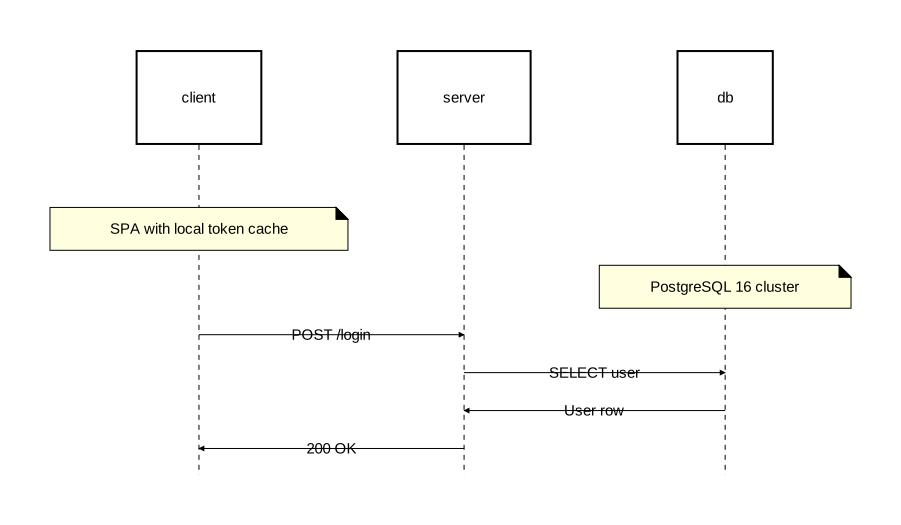
Attached notes
Attach a note to one or more elements with the on attribute:
diagram sequence;

client: Rectangle;
server: Rectangle;
db: Rectangle;

note [on=[client]]: "SPA with local token cache";
note [on=[db]]: "PostgreSQL 16 cluster";

client -> server: "POST /login";
server -> db: "SELECT user";
db -> server: "User row";
server -> client: "200 OK";
Spanning notes
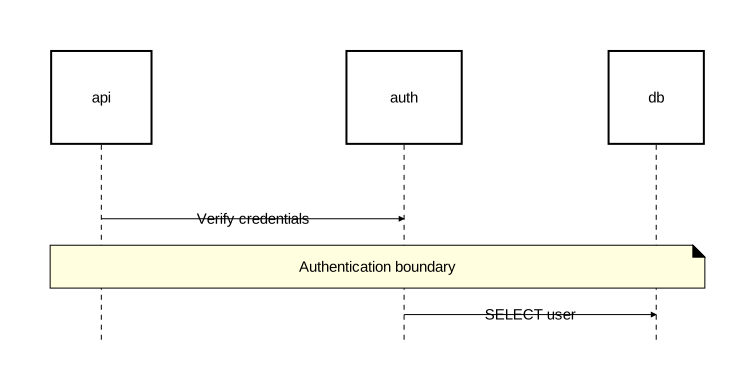
List multiple elements in on to span a note across them:
diagram sequence;

api: Rectangle;
auth: Rectangle;
db: Rectangle;

api -> auth: "Verify credentials";
note [on=[api, auth, db]]: "Authentication boundary";
auth -> db: "SELECT user";
Margin notes
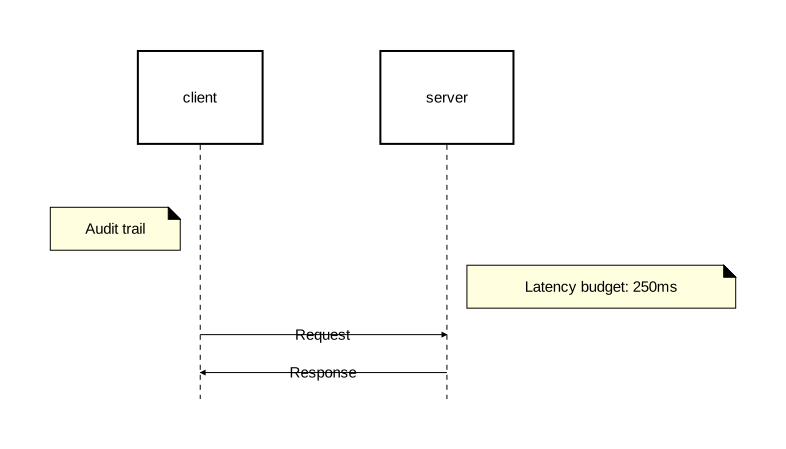
Omit the on attribute (or set it to an empty list) to place notes in the diagram margins:
diagram sequence;

client: Rectangle;
server: Rectangle;

note [align="left"]: "Audit trail";
note [align="right"]: "Latency budget: 250ms";

client -> server: "Request";
server -> client: "Response";
Over-all notes
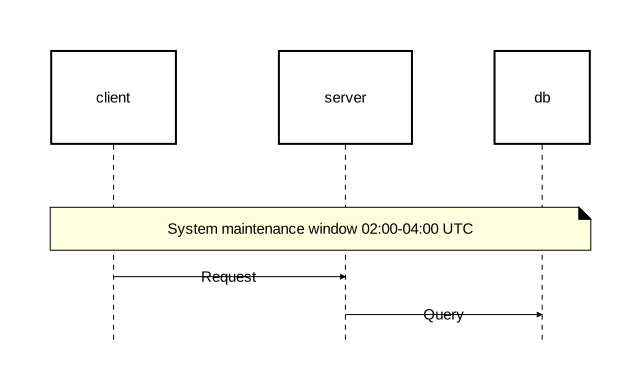
A note with no on and no align (or align="over" in sequence diagrams) spans all participants:
diagram sequence;

client: Rectangle;
server: Rectangle;
db: Rectangle;

note: "System maintenance window 02:00-04:00 UTC";

client -> server: "Request";
server -> db: "Query";
Alignment
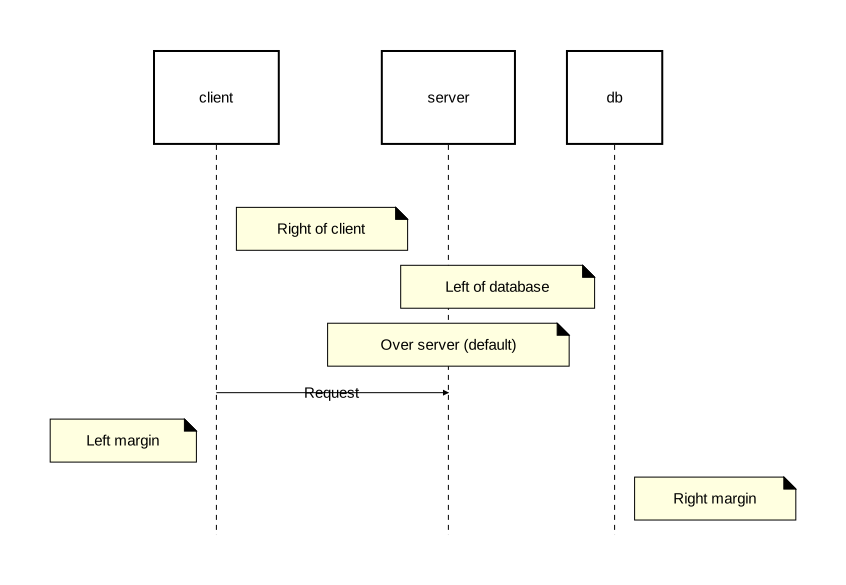
The align attribute controls note placement. Available values differ by diagram type.
Sequence diagram alignment
| Value | Description |
|---|---|
"over" | Over the element(s) — default |
"left" | To the left of the element(s), or in the left margin |
"right" | To the right of the element(s), or in the right margin |
diagram sequence;

client: Rectangle;
server: Rectangle;
db: Rectangle;

// Attached with alignment
note [on=[client], align="right"]: "Right of client";
note [on=[db], align="left"]: "Left of database";
note [on=[server]]: "Over server (default)";

client -> server: "Request";

// Margin notes
note [align="left"]: "Left margin";
note [align="right"]: "Right margin";
Component diagram alignment
| Value | Description |
|---|---|
"bottom" | Below the element(s) — default |
"top" | Above the element(s) |
"left" | To the left of the element(s) |
"right" | To the right of the element(s) |
Styling
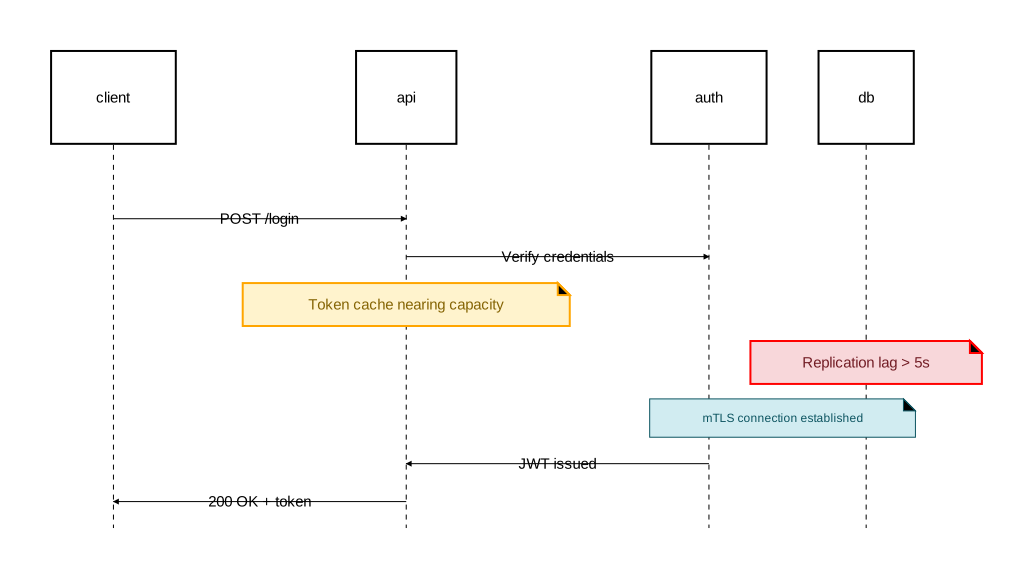
Customize notes with background_color, stroke, and text attributes:
diagram sequence;

type WarningNote = Note [background_color="#fff3cd", stroke=[color="orange", width=2.0], text=[color="#856404"]];
type ErrorNote = Note [background_color="#f8d7da", stroke=[color="red", width=2.0], text=[color="#721c24"]];
type InfoNote = Note [background_color="#d1ecf1", stroke=[color="#0c5460"], text=[color="#0c5460", font_size=12]];

client: Rectangle;
api: Rectangle;
auth: Rectangle;
db: Rectangle;

client -> api: "POST /login";
api -> auth: "Verify credentials";

note @WarningNote [on=[api]]: "Token cache nearing capacity";
note @ErrorNote [on=[db]]: "Replication lag > 5s";
note @InfoNote [on=[auth, db]]: "mTLS connection established";

auth -> api: "JWT issued";
api -> client: "200 OK + token";
Note attributes
| Attribute | Type | Description |
|---|---|---|
on | identifier list | Elements the note attaches to. Empty or omitted = margin/over-all note |
align | string | Positioning relative to target(s) |
background_color | color | Background color of the note box |
stroke | Stroke | Border styling |
text | Text | Text styling |
Typed notes
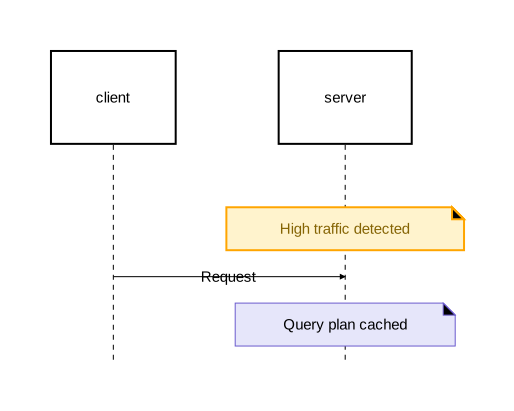
Define reusable note types with type, then apply them with @:
diagram sequence;

type WarningNote = Note [background_color="#fff3cd", stroke=[color="orange", width=2.0], text=[color="#856404"]];

client: Rectangle;
server: Rectangle;

// Named type
note @WarningNote [on=[server]]: "High traffic detected";

client -> server: "Request";

// Anonymous type (inline)
note @Note[on=[server], background_color="lavender", stroke=[color="slateblue"]]: "Query plan cached";
When @TypeSpec is omitted, it defaults to @Note:
note: "Simple note";                              // same as: note @Note: "Simple note";
note [background_color="yellow"]: "Warning";      // same as: note @Note[background_color="yellow"]: "Warning";
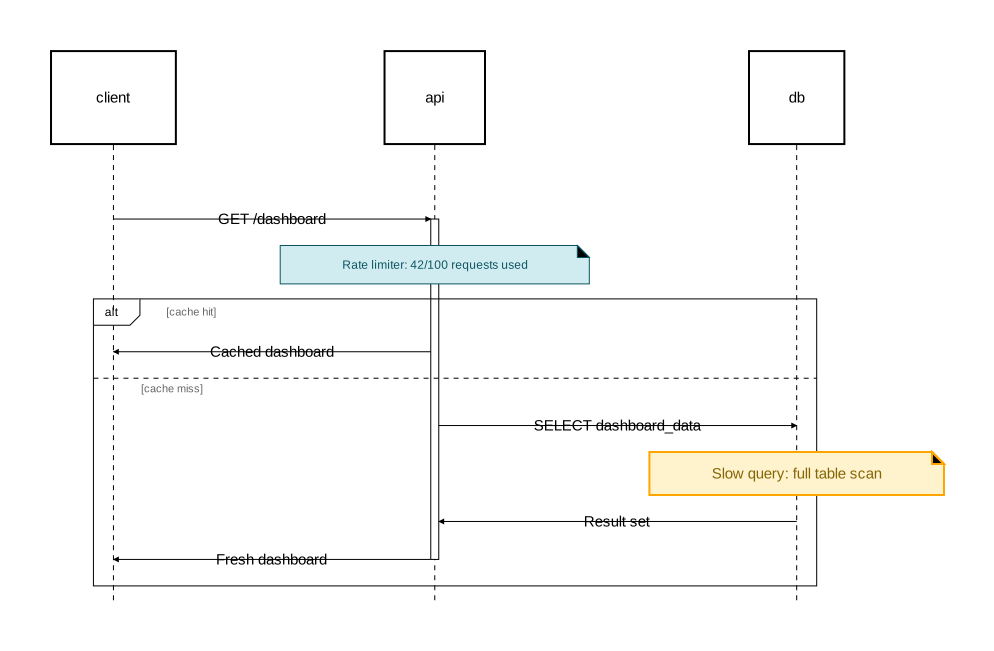
Notes inside activation and fragments
Notes can appear inside activation blocks and fragments:
diagram sequence;

type InfoNote = Note [background_color="#d1ecf1", stroke=[color="#0c5460"], text=[color="#0c5460", font_size=12]];
type WarningNote = Note [background_color="#fff3cd", stroke=[color="orange", width=2.0], text=[color="#856404"]];

client: Rectangle;
api: Rectangle;
db: Rectangle;

client -> api: "GET /dashboard";

activate api {
    note @InfoNote [on=[api]]: "Rate limiter: 42/100 requests used";

    alt "cache hit" {
        api -> client: "Cached dashboard";
    } else "cache miss" {
        api -> db: "SELECT dashboard_data";
        note @WarningNote [on=[db]]: "Slow query: full table scan";
        db -> api: "Result set";
        api -> client: "Fresh dashboard";
    };
};