Activation
Activation represents periods when a participant is actively processing — the “focus of control” in sequence diagrams. Visually, it appears as a rectangle on the participant’s lifeline.
Activation is only available in sequence diagrams.
Syntax
Block form:
activate [@TypeSpec] [attributes] component_name {
    // interactions
};
Explicit form:
activate [@TypeSpec] [attributes] component_name;
deactivate component_name;
Block form
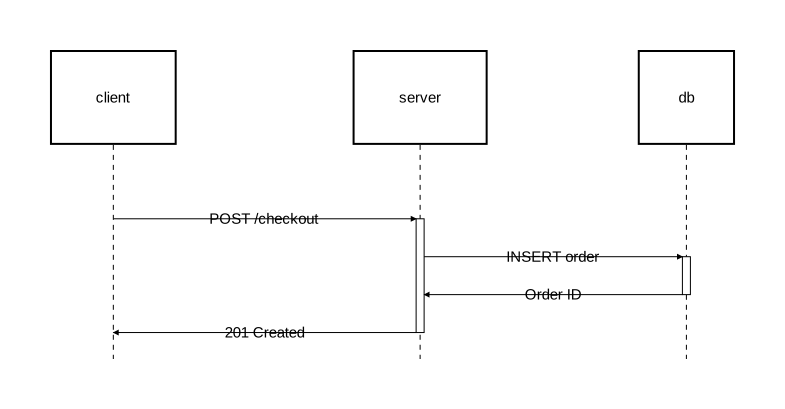
The block form groups related interactions within curly braces. This is the recommended form when activations nest cleanly (each one fully contains or is fully contained by another):
diagram sequence;

client: Rectangle;
server: Rectangle;
db: Rectangle;

client -> server: "POST /checkout";
activate server {
    server -> db: "INSERT order";
    activate db {
        db -> server: "Order ID";
    };
    server -> client: "201 Created";
};
Explicit form
The explicit form uses separate activate and deactivate statements:
diagram sequence;

type AsyncArrow = Arrow [stroke=[color="#888888", style="dashed"]];

client: Rectangle;
server: Rectangle;
worker: Rectangle;

client -> server: "POST /export";
activate server;
server -> @AsyncArrow worker: "Start export job";
activate worker;
worker -> worker: "Process rows";
server -> client: "202 Accepted";
deactivate server;
worker -> @AsyncArrow client: "Export ready";
deactivate worker;
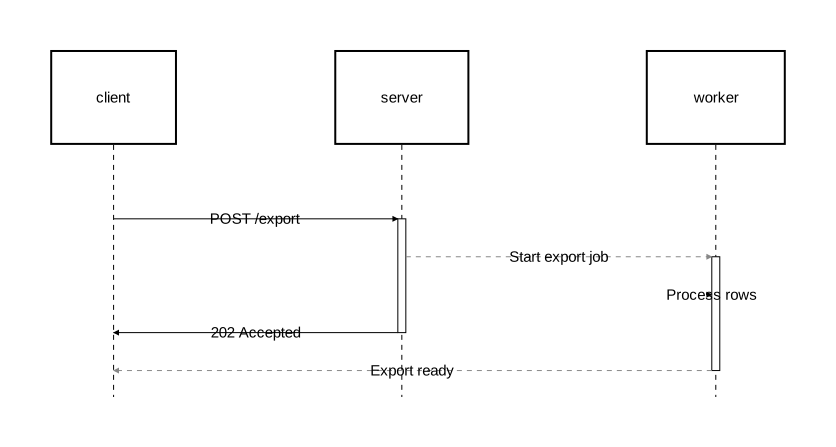
Use the explicit form when activations overlap without one containing the other. In the example above, server and worker are both active concurrently, but neither activation fully contains the other — this cannot be expressed with nested block form.
The two forms are interchangeable. Internally, block form is desugared into explicit statements.
Nested activation
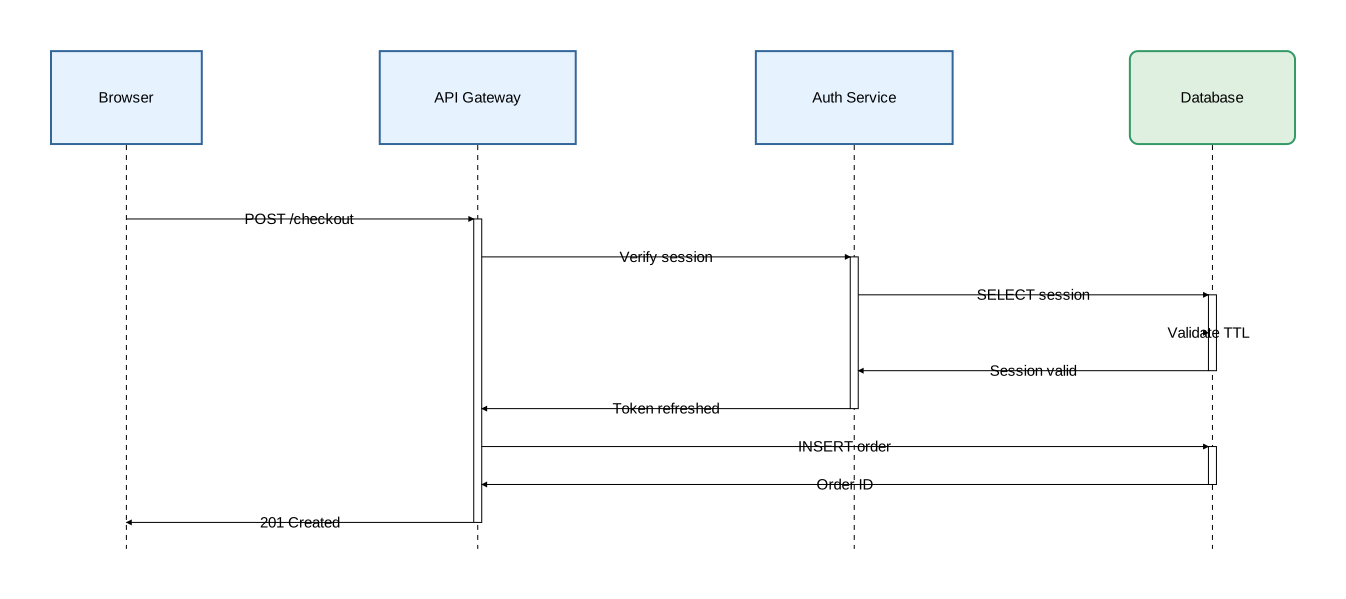
Activation can be nested across different participants:
diagram sequence;

type Participant = Rectangle [fill_color="#e6f3ff", stroke=[color="#336699"]];
type Store = Rectangle [fill_color="#e0f0e0", stroke=[color="#339966"], rounded=8];

client as "Browser": Participant;
api as "API Gateway": Participant;
auth as "Auth Service": Participant;
db as "Database": Store;

client -> api: "POST /checkout";
activate api {
    api -> auth: "Verify session";
    activate auth {
        auth -> db: "SELECT session";
        activate db {
            db -> db: "Validate TTL";
            db -> auth: "Session valid";
        };

        auth -> api: "Token refreshed";
    };

    api -> db: "INSERT order";
    activate db {
        db -> api: "Order ID";
    };

    api -> client: "201 Created";
};
Stacked activation
The same participant can have multiple activation levels stacked:
diagram sequence;

type RequestArrow = Arrow [stroke=[color="steelblue", width=1.5]];
type ResponseArrow = Arrow [stroke=[color="seagreen", style="dashed"]];

client: Rectangle;
api: Rectangle;
auth: Rectangle;
db: Rectangle;

client -> @RequestArrow api: "POST /payment";
activate api {
    api -> @RequestArrow db: "Check balance";
    activate db {
        db -> @ResponseArrow api: "Balance OK";
    };

    api -> @RequestArrow auth: "Fraud check";
    activate auth {
        auth -> @ResponseArrow api: "Cleared";
    };

    api -> @RequestArrow db: "INSERT transaction";
    activate db {
        db -> @ResponseArrow api: "Transaction ID";
    };

    api -> @ResponseArrow client: "Payment confirmed";
};
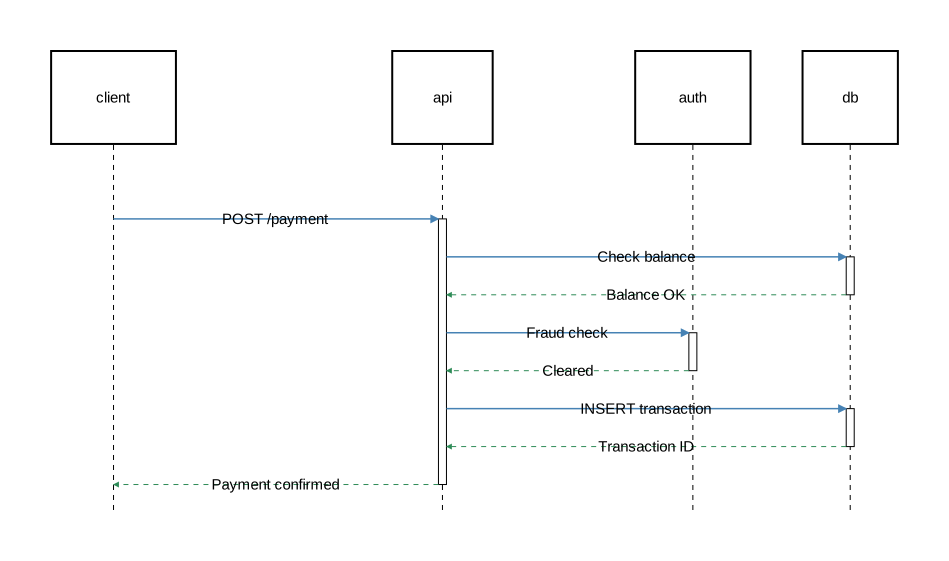
Each nested activate on the same participant adds another layer to the activation box.
Styling
Customize activation appearance with fill_color and stroke:
diagram sequence;

type CriticalActivation = Activate [fill_color="rgba(255,180,180,0.4)", stroke=[color="red", width=2.0]];
type HighlightActivation = Activate [fill_color="rgba(180,200,255,0.3)"];

api: Rectangle;
db: Rectangle;

api -> db: "DELETE cascade";
activate @CriticalActivation db {
    db -> api: "Purged";
};

api -> db: "ANALYZE tables";
activate @HighlightActivation db {
    db -> api: "Statistics updated";
};
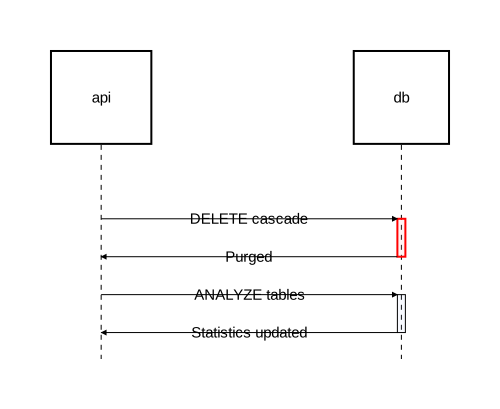
Activation attributes
| Attribute | Type | Description |
|---|---|---|
fill_color | color | Background color of the activation box |
stroke | Stroke | Border styling |
Typed activations
Define reusable activation types with type, then apply them with @:
diagram sequence;

type CriticalActivation = Activate [fill_color="rgba(255,180,180,0.4)", stroke=[color="red", width=2.0]];

client: Rectangle;
api: Rectangle;
db: Rectangle;

// Named type
api -> db: "DELETE cascade";
activate @CriticalActivation db {
    db -> api: "Purged";
};

// Anonymous type (inline)
api -> db: "Rotate encryption keys";
activate @Activate[fill_color="rgba(255,240,200,0.4)", stroke=[color="orange"]] db {
    db -> api: "Keys rotated";
};
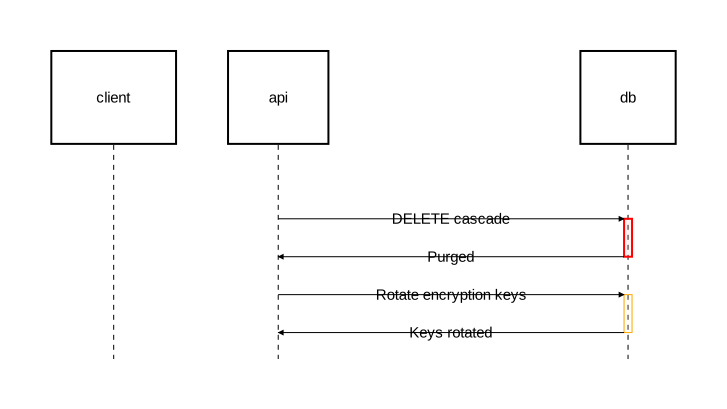
When @TypeSpec is omitted, it defaults to @Activate:
activate server { };                          // same as: activate @Activate server { };
activate [fill_color="red"] server { };       // same as: activate @Activate[fill_color="red"] server { };
Scoping behavior
Activation blocks do not create component namespaces. Unlike nesting in component diagrams, identifiers remain flat:
// Correct — flat naming
client -> server: "Request";
activate server {
    server -> client: "Response";
};

// Incorrect — no namespace scoping in activation blocks
// server::client  ← this does not work
Combining with fragments and notes
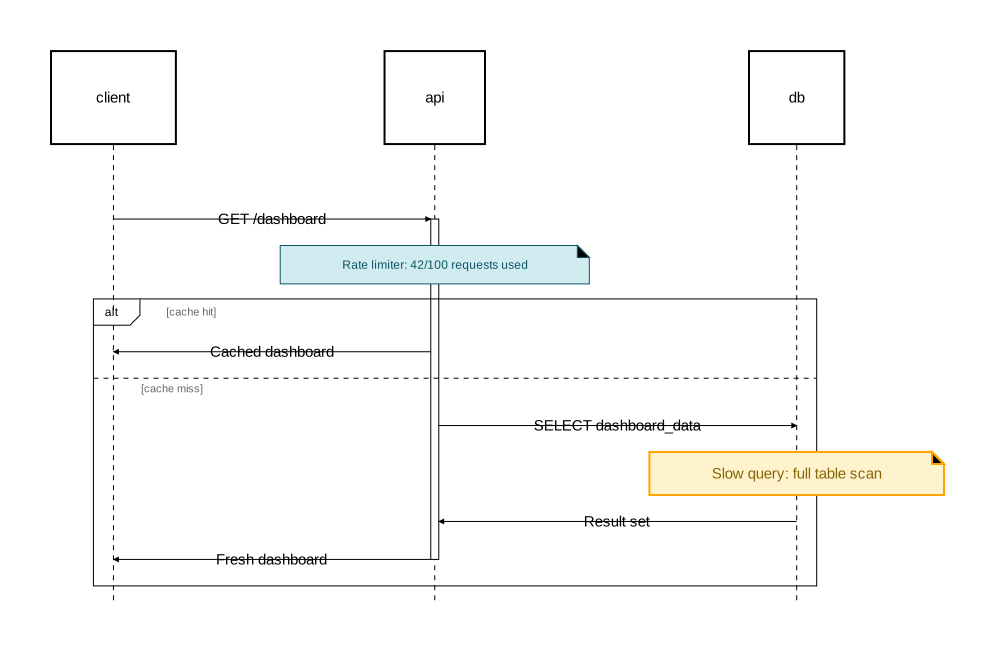
Activation blocks can contain fragments and notes:
diagram sequence;

type InfoNote = Note [background_color="#d1ecf1", stroke=[color="#0c5460"], text=[color="#0c5460", font_size=12]];
type WarningNote = Note [background_color="#fff3cd", stroke=[color="orange", width=2.0], text=[color="#856404"]];

client: Rectangle;
api: Rectangle;
db: Rectangle;

client -> api: "GET /dashboard";
activate api {
    note @InfoNote [on=[api]]: "Rate limiter: 42/100 requests used";

    alt "cache hit" {
        api -> client: "Cached dashboard";
    } else "cache miss" {
        api -> db: "SELECT dashboard_data";
        note @WarningNote [on=[db]]: "Slow query: full table scan";
        db -> api: "Result set";
        api -> client: "Fresh dashboard";
    };
};