Component Diagrams
Component diagrams visualize the structure of a system — its parts and how they connect.
Declaring components
Every component diagram starts with a diagram component; declaration, followed by component definitions and relations.
diagram component;

frontend: Rectangle;
backend: Rectangle;
database: Rectangle;

frontend -> backend: "API calls";
backend -> database: "Queries";
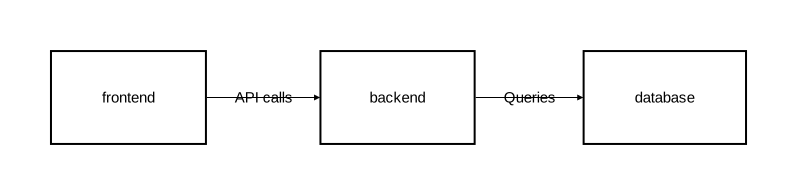
Each component needs a name and a shape type. The built-in shape types are:
| Type | Description | Can contain children |
|---|---|---|
Rectangle | Rectangular box | Yes |
Oval | Elliptical shape | Yes |
Component | UML component icon | Yes |
Actor | Stick figure | No |
Entity | Circle | No |
Control | Circle with arrow | No |
Interface | Small circle | No |
Boundary | Circle with line | No |
See Shape types for the full list and details.
Display names
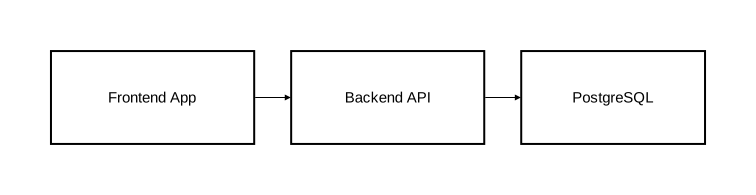
By default, the identifier is used as the label. Use as "..." to set a different display name:
diagram component;

fe as "Frontend App": Rectangle;
be as "Backend API": Rectangle;
db as "PostgreSQL": Rectangle;

fe -> be;
be -> db;
Styling with attributes
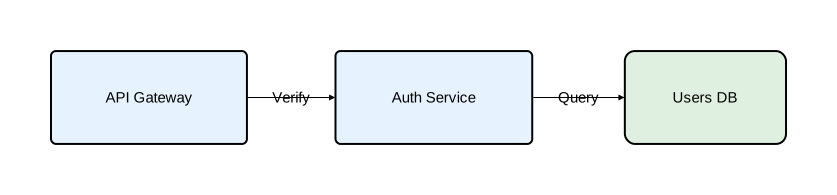
Components accept attributes in square brackets to control their appearance:
diagram component;

api as "API Gateway": Rectangle [fill_color="#e6f3ff", rounded=5];
auth as "Auth Service": Rectangle [fill_color="#e6f3ff", rounded=5];
users_db as "Users DB": Rectangle [fill_color="#e0f0e0", rounded=10];

api -> auth: "Verify";
auth -> users_db: "Query";
See Component attributes for the full list of available attributes.
Custom types
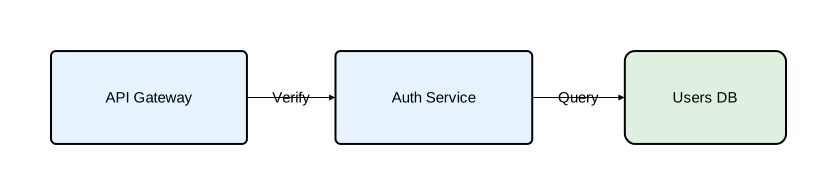
When multiple components share the same style, define a named type to avoid repetition:
diagram component;

type Service = Rectangle [fill_color="#e6f3ff", rounded=5];
type Database = Rectangle [fill_color="#e0f0e0", rounded=10];

api as "API Gateway": Service;
auth as "Auth Service": Service;
users_db as "Users DB": Database;

api -> auth: "Verify";
auth -> users_db: "Query";
Types can extend other types:
type Service = Rectangle [fill_color="#e6f3ff", rounded=5];
type CriticalService = Service [fill_color="#ffe0e0", stroke=[color="red", width=2.0]];
See Type System for type extension and composition.
Nesting
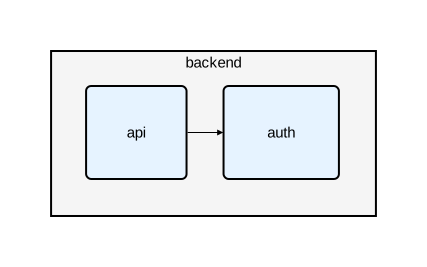
Components can contain other components, creating a hierarchy:
diagram component;

type Service = Rectangle [fill_color="#e6f3ff", rounded=5];

backend: Rectangle [fill_color="#f5f5f5"] {
    api: Service;
    auth: Service;
    api -> auth;
};
Nesting can go multiple levels deep:
platform: Rectangle [fill_color="#fafafa"] {
    gateway: Service;

    services: Rectangle [fill_color="#f0f0f0"] {
        users: Service;
        orders: Service;
        users -> orders;
    };

    gateway -> services;
};
Cross-level relations
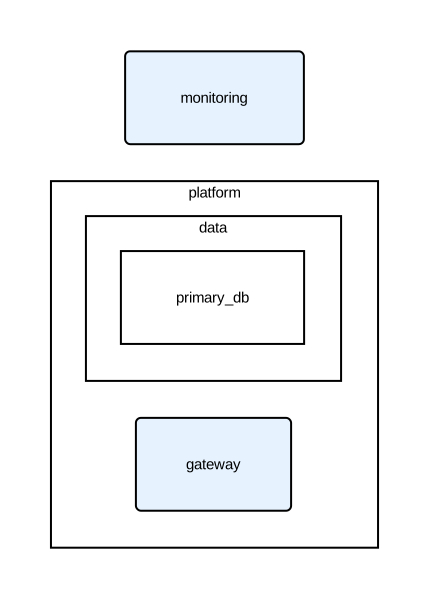
Use :: to reference components inside nested containers:
diagram component;

type Service = Rectangle [fill_color="#e6f3ff", rounded=5];

platform: Rectangle {
    gateway: Service;
    data: Rectangle {
        primary_db: Rectangle;
    };
};

// Top-level to nested
monitoring: Service;
monitoring -> platform::gateway;
monitoring -> platform::data::primary_db;

// Nested to top-level
platform::gateway -> monitoring: "Metrics";
Relation types
Four relation types are available:
a -> b: "Forward";      // arrow from a to b
a <- b: "Backward";     // arrow from b to a
a <-> b: "Bidirectional"; // arrows both ways
a - b: "Plain";         // line, no arrowheads
See Relations for styling and typed relations.
Layout engines
Component diagrams support three layout engines:
// Simple deterministic positioning
diagram component [layout_engine="basic"];

// Hierarchical layout (better for layered architectures)
diagram component [layout_engine="sugiyama"];

// Graphviz layout (balanced placement, fewer crossings on complex graphs)
diagram component [layout_engine="graphviz"];
The CLI binary defaults to graphviz, which delegates positioning to the external dot CLI (requires Graphviz installed — see Installation for setup). If built without the graphviz feature, the default is basic.
The layout engine can also be set in a configuration file.
Embedded diagrams
A component can contain an entirely different diagram type inside it:
diagram component;

type Service = Rectangle [fill_color="#e6f3ff"];

auth_service: Service embed {
    diagram sequence;

    client: Rectangle;
    auth: Rectangle;
    db: Rectangle;

    client -> auth: "Login";
    auth -> db: "Validate";
    db -> auth: "Result";
    auth -> client: "Token";
};

gateway: Service;
gateway -> auth_service: "Authenticate";
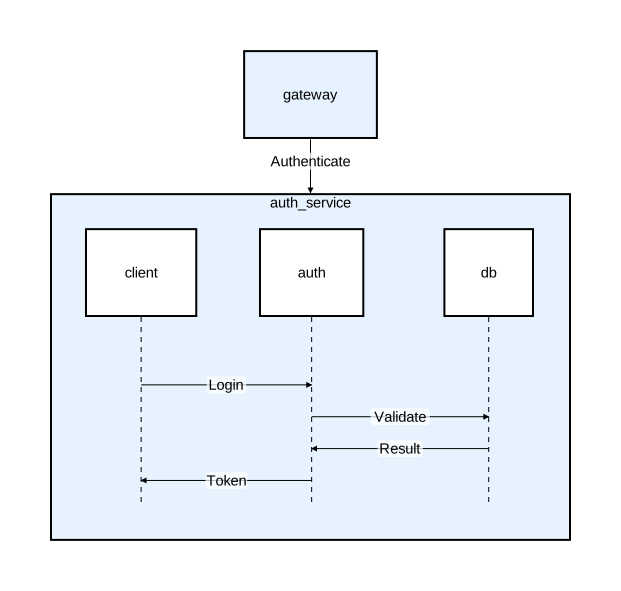
This embeds a sequence diagram inside a component node, showing both the structural and behavioral view. See Diagrams for diagram-level options and embedding.