Styling
This tutorial shows how to style different parts of a diagram. For the complete list of attributes and their values, see the Styling reference.
Components
diagram component;

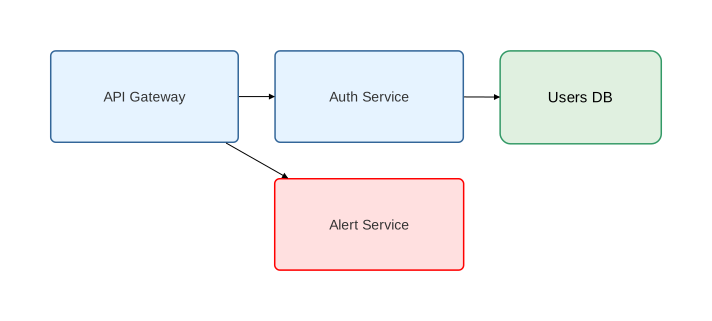
type Service = Rectangle [
    fill_color="#e6f3ff",
    rounded=5,
    stroke=[color="#336699", width=1.5],
    text=[font_size=14, color="#333"]
];

type Database = Rectangle [
    fill_color="#e0f0e0",
    rounded=10,
    stroke=[color="#339966", width=1.5]
];

api as "API Gateway": Service;
auth as "Auth Service": Service;
db as "Users DB": Database;

// Instance-level override
alert as "Alert Service": Service [fill_color="#ffe0e0", stroke=[color="red"]];

api -> auth;
api -> alert;
auth -> db;
Relations
diagram sequence;

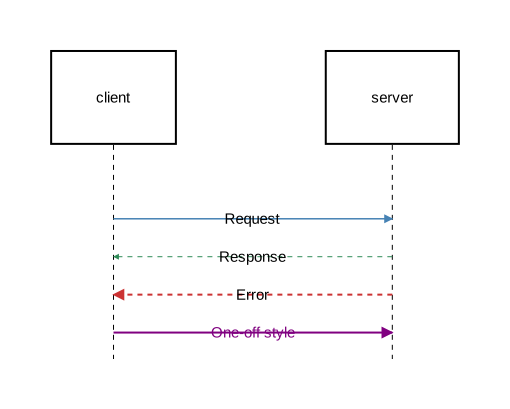
type RequestArrow = Arrow [stroke=[color="steelblue", width=1.5]];
type ResponseArrow = Arrow [stroke=[color="seagreen", width=1.0, style="dashed"]];
type ErrorArrow = Arrow [stroke=[color="#cc3333", width=2.0, style="dashed"]];

client: Rectangle;
server: Rectangle;

client -> @RequestArrow server: "Request";
server -> @ResponseArrow client: "Response";
server -> @ErrorArrow client: "Error";

// Inline styling without defining a type
client -> [stroke=[color="purple", width=2.0], text=[color="purple"]] server: "One-off style";
Notes
diagram sequence;

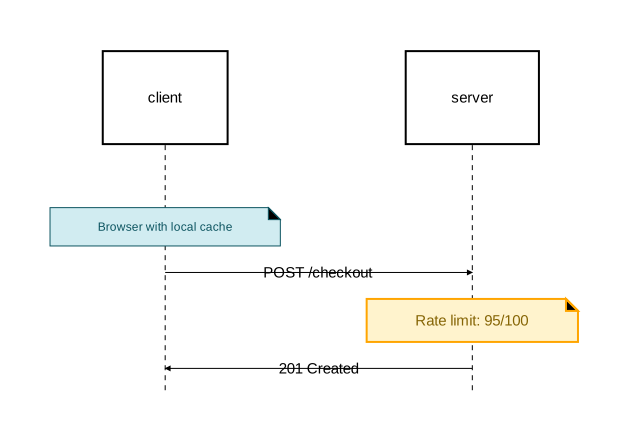
type InfoNote = Note [
    background_color="#d1ecf1",
    stroke=[color="#0c5460"],
    text=[color="#0c5460", font_size=12]
];

type WarningNote = Note [
    background_color="#fff3cd",
    stroke=[color="orange", width=2.0],
    text=[color="#856404"]
];

client: Rectangle;
server: Rectangle;

note @InfoNote [on=[client]]: "Browser with local cache";
client -> server: "POST /checkout";
note @WarningNote [on=[server]]: "Rate limit: 95/100";
server -> client: "201 Created";
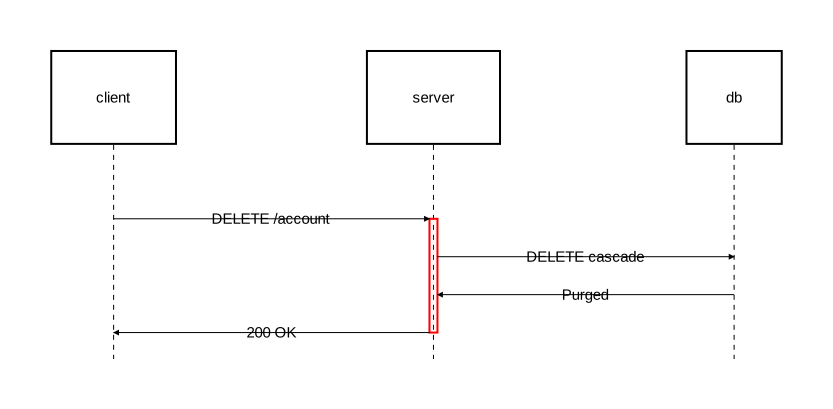
Activation blocks
diagram sequence;

type CriticalActivation = Activate [
    fill_color="rgba(255,180,180,0.3)",
    stroke=[color="red", width=2.0]
];

client: Rectangle;
server: Rectangle;
db: Rectangle;

client -> server: "DELETE /account";
activate @CriticalActivation server {
    server -> db: "DELETE cascade";
    db -> server: "Purged";
    server -> client: "200 OK";
};
Fragments
diagram sequence;

client: Rectangle;
server: Rectangle;
cache: Rectangle;

client -> server: "GET /data";
opt [
    background_color="rgba(144, 238, 144, 0.1)",
    border_stroke=[color="seagreen", width=2.0],
    operation_label_text=[font_size=14, color="seagreen"],
    section_title_text=[font_size=12, color="gray"]
] "cache available" {
    server -> cache: "Lookup";
    cache -> server: "Hit";
};
server -> client: "Response";
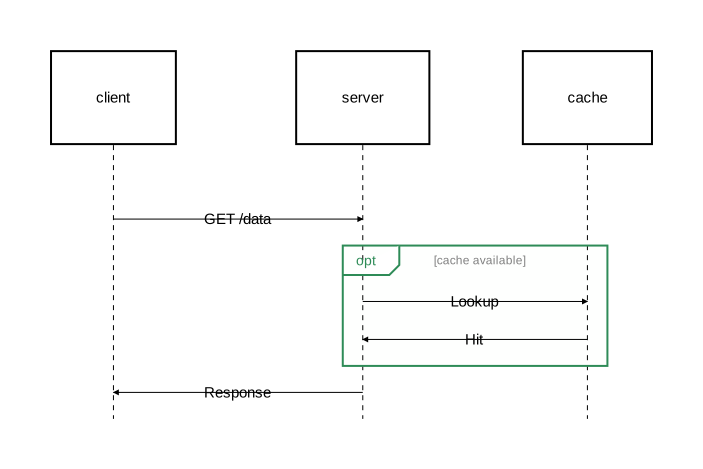
See Fragments reference for all fragment-specific attributes.
Diagram-level styling
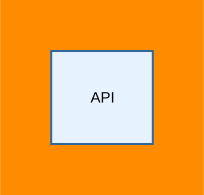
Set a background color on the entire diagram:
diagram component [background_color="darkorange"];

api as "API": Rectangle [fill_color="#e6f3ff", stroke=[color="#336699"]];