Relations
Relations connect components with arrows or lines. They work in both component and sequence diagrams.
Syntax
source -> target;
source -> target: "label";
source -> @TypeName [attributes] target: "label";
Arrow types
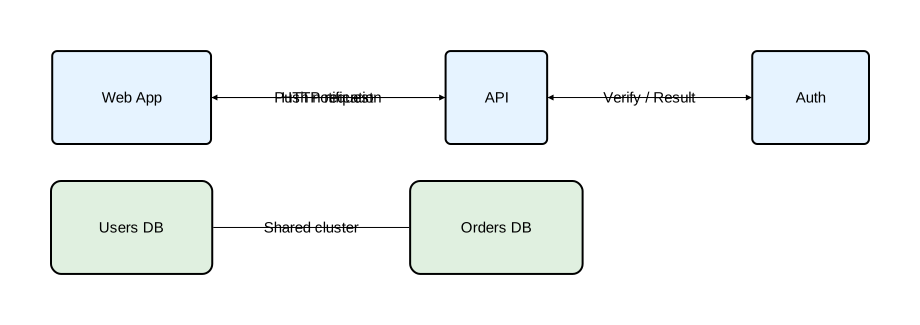
Orrery provides four relation types:
| Syntax | Name | Description |
|---|---|---|
-> | Forward | Arrow from source to target |
<- | Backward | Arrow from target to source |
<-> | Bidirectional | Arrows in both directions |
- | Plain | Line with no arrowheads |
diagram component;

type Service = Rectangle [fill_color="#e6f3ff", rounded=5];
type Database = Rectangle [fill_color="#e0f0e0", rounded=10];

web_app as "Web App": Service;
api as "API": Service;
auth as "Auth": Service;
users_db as "Users DB": Database;
orders_db as "Orders DB": Database;

// Forward arrow
web_app -> api: "HTTP request";

// Backward arrow
web_app <- api: "Push notification";

// Bidirectional
api <-> auth: "Verify / Result";

// Plain line (no arrowhead)
users_db - orders_db: "Shared cluster";
Labels
Labels are optional strings that appear on the relation line:
diagram sequence;

client: Rectangle;
server: Rectangle;

client -> server: "POST /login";
server -> client: "200 OK";
client -> server;
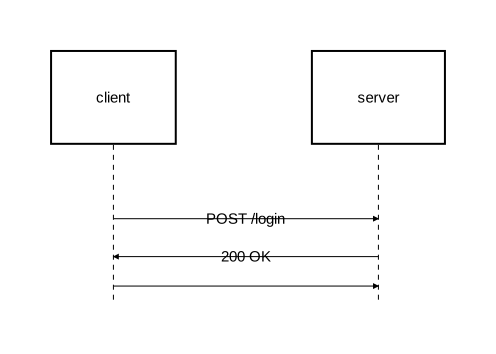
When omitted, the relation is drawn without a label.
Self-messages
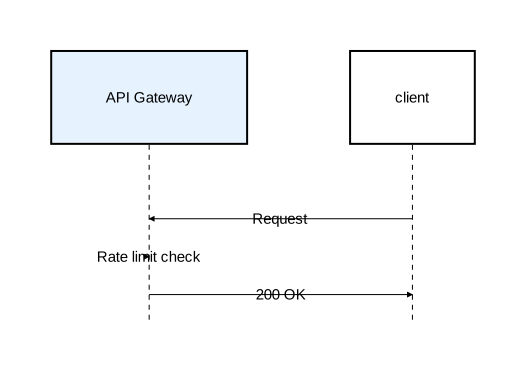
A component can have a relation to itself:
diagram sequence;

type Service = Rectangle [fill_color="#e6f3ff"];

api as "API Gateway": Service;
client: Rectangle;

client -> api: "Request";
api -> api: "Rate limit check";
api -> client: "200 OK";
Inline styling
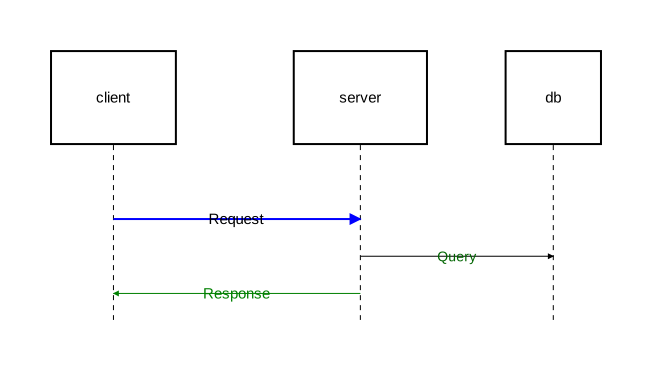
Override attributes directly on a relation using square brackets after the arrow operator:
diagram sequence;

client: Rectangle;
server: Rectangle;
db: Rectangle;

// Styled stroke
client -> [stroke=[color="blue", width=2.0]] server: "Request";

// Styled label text
server -> [text=[color="darkgreen", font_size=14]] db: "Query";

// Both stroke and text
server -> [stroke=[color="green"], text=[color="green"]] client: "Response";
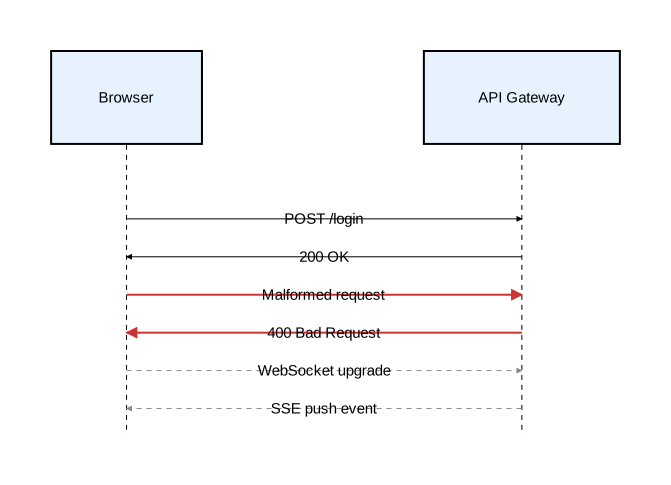
Typed arrows
Define reusable arrow types with type, then apply them with @. See Type System for more on type definitions.
diagram sequence;

type ErrorArrow = Arrow [stroke=[color="#cc3333", width=2.0]];
type AsyncArrow = Arrow [stroke=[color="#888888", style="dashed"]];
type Participant = Rectangle [fill_color="#e6f3ff"];

client as "Browser": Participant;
api as "API Gateway": Participant;

client -> api: "POST /login";
api -> client: "200 OK";

// Named type
client -> @ErrorArrow api: "Malformed request";
api -> @ErrorArrow client: "400 Bad Request";

// Async messages
client -> @AsyncArrow api: "WebSocket upgrade";
client <- @AsyncArrow api: "SSE push event";
Anonymous type overrides
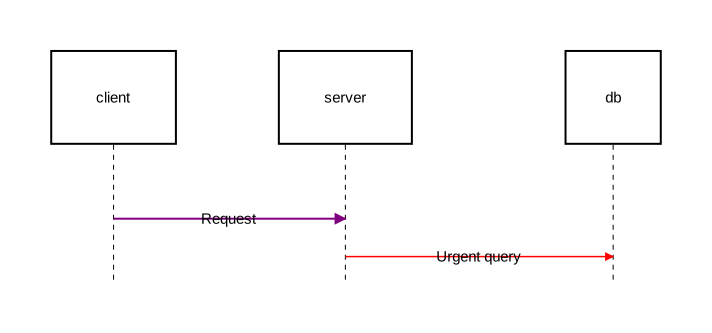
Apply attributes inline without defining a named type:
diagram sequence;

type RequestArrow = Arrow [stroke=[color="steelblue", width=1.5]];

client: Rectangle;
server: Rectangle;
db: Rectangle;

// Anonymous type (extending Arrow)
client -> @Arrow[stroke=[color="purple", width=2.0]] server: "Request";

// Extending a named type with overrides
server -> @RequestArrow[stroke=[color="red"]] db: "Urgent query";
Default type
When @TypeName is omitted, the relation defaults to @Arrow:
client -> server;                         // same as: client -> @Arrow server;
client -> [stroke=[color="red"]] server;  // same as: client -> @Arrow[stroke=[color="red"]] server;
Cross-level relations
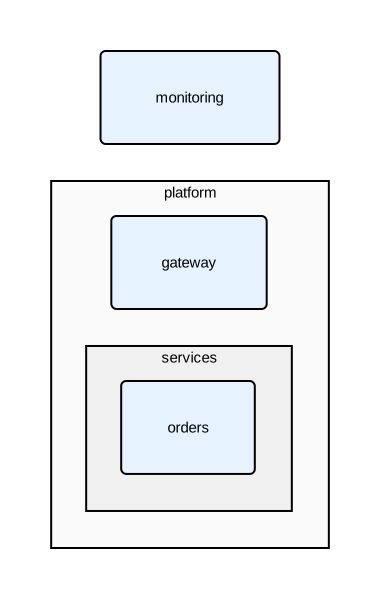
In diagrams with nested components, use :: to reference elements at different nesting levels:
diagram component;

type Service = Rectangle [fill_color="#e6f3ff", rounded=5];

platform: Rectangle [fill_color="#fafafa"] {
    gateway: Service;
    services: Rectangle [fill_color="#f0f0f0"] {
        orders: Service;
    };
};

monitoring: Service;

// Top-level to nested
monitoring -> platform::gateway;

// Nested to top-level
platform::services::orders -> monitoring: "Metrics";
Relation attributes
| Attribute | Type | Description |
|---|---|---|
stroke | Stroke | Line styling |
text | Text | Label text styling |
style | string | Routing style: "straight" (default), "curved", or "orthogonal" |
See Styling for full details on stroke and text attributes.