Type System
Orrery’s type system lets you define reusable visual styles and apply them consistently across your diagrams. Types build on built-in base types and can be composed and extended.
Types can also be shared across files using the import system. Define types in a library file and import them into any diagram that needs them.
Defining types
Use the type keyword to create a named type from a base type with attributes:
type TypeName = BaseType [attributes];
Type names must be CamelCase starting with an uppercase letter.
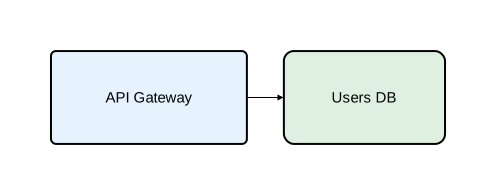
diagram component;

type Service = Rectangle [fill_color="#e6f3ff", rounded=5];
type Database = Rectangle [fill_color="#e0f0e0", rounded=10];

api as "API Gateway": Service;
db as "Users DB": Database;
api -> db;
Declarations vs. invocations
The type system has two ways to use types, depending on the construct:
Declarations (:)
Create a named component that can be referenced in relations. Used for defining components and participants.
identifier: TypeName;
identifier: TypeName [attribute_overrides];
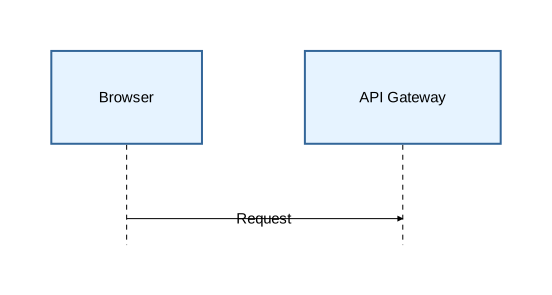
diagram sequence;

type Participant = Rectangle [fill_color="#e6f3ff", stroke=[color="#336699"]];

client as "Browser": Participant;
api as "API Gateway": Participant;

client -> api: "Request";
Invocations (@)
Apply a type to a construct — relations, notes, activations, or fragments. These are anonymous actions, not named entities.
keyword @TypeName ...
keyword @TypeName [attribute_overrides] ...
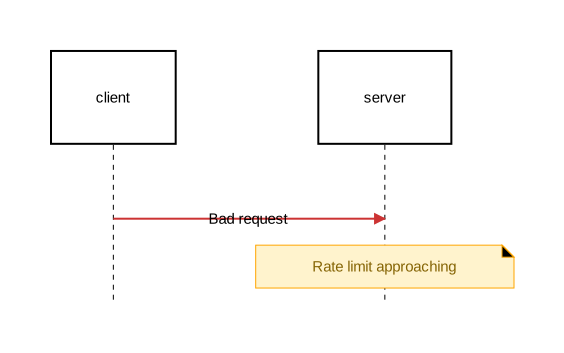
diagram sequence;

type ErrorArrow = Arrow [stroke=[color="#cc3333", width=2.0]];
type WarningNote = Note [background_color="#fff3cd", stroke=[color="orange"], text=[color="#856404"]];

client: Rectangle;
server: Rectangle;

client -> @ErrorArrow server: "Bad request";
note @WarningNote [on=[server]]: "Rate limit approaching";
Default types
When @TypeSpec is omitted, Orrery uses a default:
| Construct | Default type | Sugar | Explicit equivalent |
|---|---|---|---|
| Relations | Arrow | a -> b | a -> @Arrow b |
| Notes | Note | note: "text" | note @Note: "text" |
| Activations | Activate | activate x { } | activate @Activate x { } |
| Fragments | Fragment | alt "cond" { } | alt @Fragment "cond" { } |
You can still pass inline attributes when using the sugar form:
client -> [stroke=[color="red"]] server; // same as: client -> @Arrow[stroke=[color="red"]] server;
Built-in base types
Component shapes
| Type | Description | Can contain children |
|---|---|---|
Rectangle | Rectangular box | Yes |
Oval | Elliptical shape | Yes |
Component | UML component icon | Yes |
Actor | Stick figure | No |
Entity | Diamond shape | No |
Control | Circle | No |
Interface | Circle with label | No |
Boundary | Rounded rectangle | No |
Relation type
| Type | Description |
|---|---|
Arrow | Configurable arrow for connections between components |
Construct types
| Type | Description |
|---|---|
Note | Annotations attached to components or placed in margins |
Activate | Activation boxes on sequence diagram lifelines |
Fragment | Interaction fragments (alt, opt, loop, par, break, critical) |
Attribute group types
| Type | Description |
|---|---|
Stroke | Reusable group of stroke attributes (color, width, style, cap, join) |
Text | Reusable group of text attributes (font_size, font_family, color, background_color, padding) |
Attribute group types follow the same type definition syntax as other types and support composition and overrides. They are used inside other type definitions as attribute values, not for creating components directly. See Styling for attribute details.
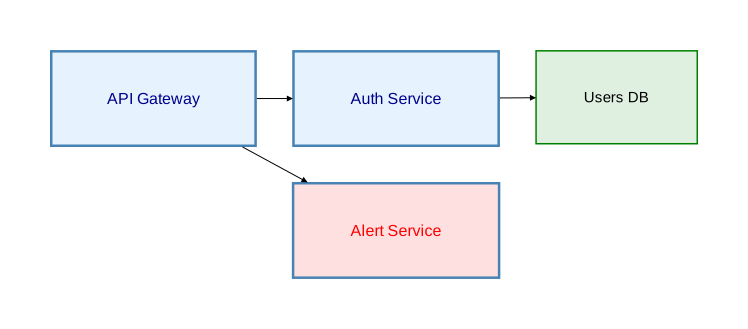
diagram component;

type ThickBlue = Stroke [color="steelblue", width=2.5];
type Heading = Text [font_size=16, color="darkblue", font_family="Arial"];

// Named attribute group usage
type Service = Rectangle [fill_color="#e6f3ff", stroke=ThickBlue, text=Heading];

// Named attribute group with overrides
type Alert = Rectangle [fill_color="#ffe0e0", stroke=ThickBlue, text=Heading[color="red"]];

// Anonymous attribute group usage
type Database = Rectangle [fill_color="#e0f0e0", stroke=[color="green", width=1.5]];

api as "API Gateway": Service;
auth as "Auth Service": Service;
alert as "Alert Service": Alert;
db as "Users DB": Database;
api -> auth;
api -> alert;
auth -> db;
Type composition
Types can extend other types. Later attributes override earlier ones:
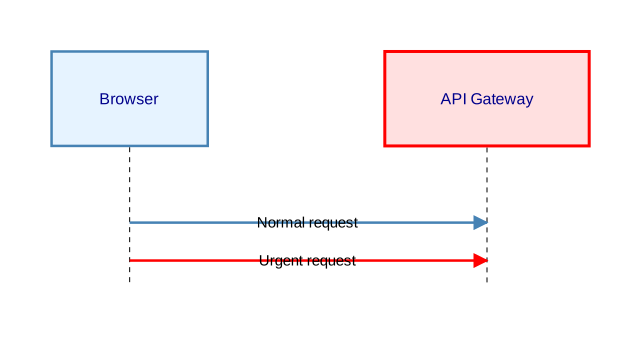
diagram sequence;

// Base types
type ThickSolid = Stroke [color="steelblue", width=2.5];
type BoldText = Text [font_size=16, color="darkblue", font_family="Arial"];

// Component type using attribute groups
type Service = Rectangle [fill_color="#e6f3ff", stroke=ThickSolid, text=BoldText];

// Extended type — overrides fill_color and stroke color
type CriticalService = Service [fill_color="#ffe0e0", stroke=[color="red", width=3.0]];

// Arrow types with composition
type RequestArrow = Arrow [stroke=ThickSolid];
type UrgentRequest = RequestArrow [stroke=[color="red"]];

client as "Browser": Service;
api as "API Gateway": CriticalService;

client -> @RequestArrow api: "Normal request";
client -> @UrgentRequest api: "Urgent request";
The inheritance chain resolves attributes step by step:
CriticalServiceinheritsService’s stroke and text, then overridesfill_colorandstrokeUrgentRequestinheritsRequestArrow’s stroke (which usesThickSolid), then overrides the color to red
Named vs. anonymous TypeSpecs
Named TypeSpec
References a previously defined type by name:
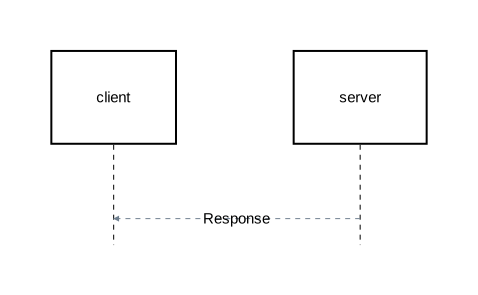
diagram sequence;

type ResponseArrow = Arrow [stroke=[color="slategray", width=1.0, style="dashed"]];

client: Rectangle;
server: Rectangle;

server -> @ResponseArrow client: "Response";
Anonymous TypeSpec
Creates a one-off type inline with attributes, without giving it a name:
diagram sequence;

type RequestArrow = Arrow[stroke=[color="steelblue", width=1.5]];

client: Rectangle;
server: Rectangle;
db: Rectangle;

// Anonymous type extending a base type
client -> @Arrow[stroke=[color="purple", width=2.0]] server: "Request";

// Anonymous type extending a named type, overriding stroke color
server -> @RequestArrow[stroke=[color="red"]] db: "Urgent query";
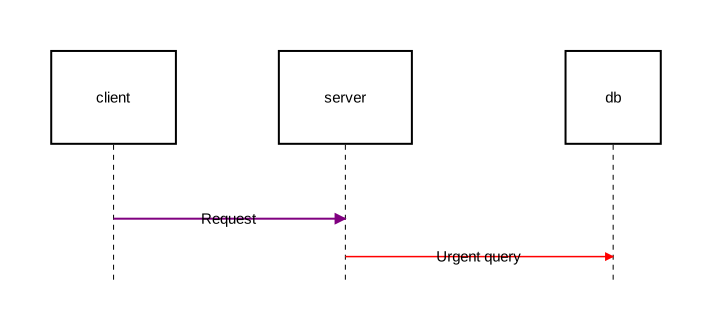
Anonymous types are useful for one-off styling. If you use the same attributes more than once, define a named type instead.
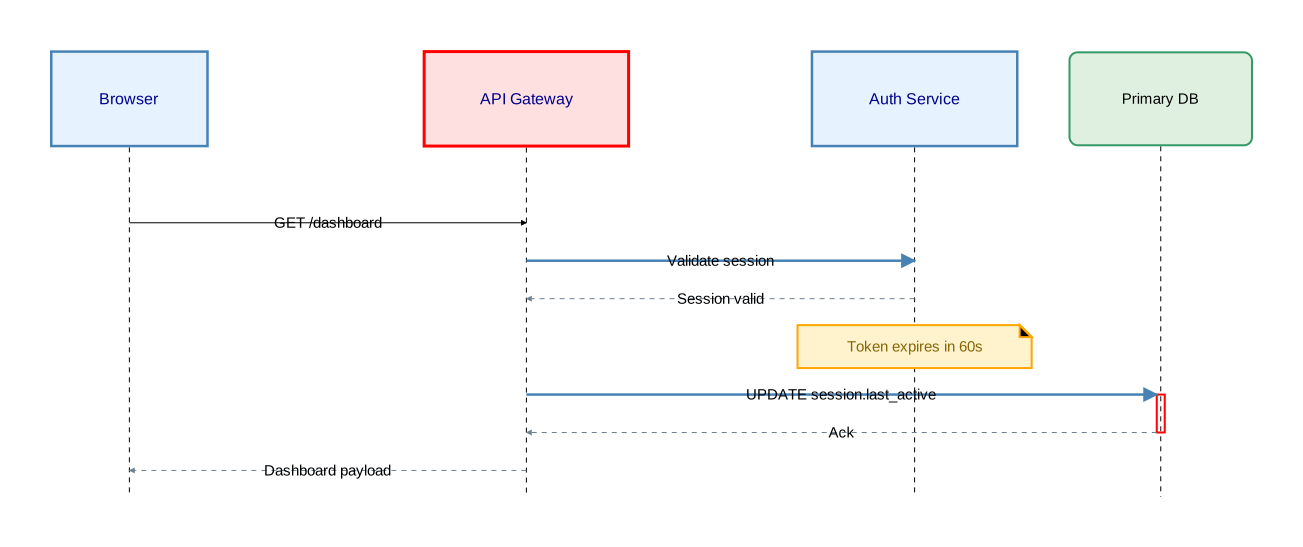
Complete example
diagram sequence;

// Attribute group types
type ThinDashed = Stroke [color="slategray", width=1.0, style="dashed"];
type ThickSolid = Stroke [color="steelblue", width=2.5];
type BoldText = Text [font_size=16, color="darkblue", font_family="Arial"];

// Component types
type Service = Rectangle [fill_color="#e6f3ff", stroke=ThickSolid, text=BoldText];
type Store = Rectangle [fill_color="#e0f0e0", stroke=[color="#339966"], rounded=8];
type CriticalService = Service [fill_color="#ffe0e0", stroke=[color="red", width=3.0]];

// Arrow types
type RequestArrow = Arrow [stroke=ThickSolid];
type ResponseArrow = Arrow [stroke=ThinDashed];
type ErrorArrow = Arrow [stroke=[color="#cc3333", width=2.0, style="dashed"]];

// Construct types
type WarningNote = Note [background_color="#fff3cd", stroke=[color="orange", width=2.0], text=[color="#856404"]];
type CriticalActivation = Activate [fill_color="rgba(255,180,180,0.3)", stroke=[color="red", width=2.0]];

// Participants (declarations with :)
client as "Browser": Service;
api as "API Gateway": CriticalService;
auth as "Auth Service": Service;
primary_db as "Primary DB": Store;

// Messages (invocations with @)
client -> api: "GET /dashboard";
api -> @RequestArrow auth: "Validate session";
auth -> @ResponseArrow api: "Session valid";
note @WarningNote [on=[auth]]: "Token expires in 60s";

// Typed activation
api -> @RequestArrow primary_db: "UPDATE session.last_active";
activate @CriticalActivation primary_db {
    primary_db -> @ResponseArrow api: "Ack";
};

api -> @ResponseArrow client: "Dashboard payload";