Imports
This tutorial walks through sharing types across files and embedding external diagrams. By the end you’ll have a small multi-file project that reuses a shared style library and embeds one diagram inside another.
Create a shared library
Start by creating a library file with reusable types. Create shared/styles.orr:
library;

type Service = Rectangle[fill_color="#e6f3ff", rounded=5];
type Database = Oval[fill_color="#e0f0e0"];
type Client = Oval[fill_color="#fff0e0"];
A library file starts with library; instead of diagram ...;. It can only contain imports and type definitions — no diagram elements. It’s not renderable on its own.
Import types into a diagram
Now create a diagram that uses these shared types. Create main.orr alongside the shared/ directory:
diagram component;

import "shared/styles"::*;

api as "API Gateway": Service;
db as "Users DB": Database;
user: Client;

user -> api: "Request";
api -> db: "Query";
db -> api: "Result";
api -> user: "Response";
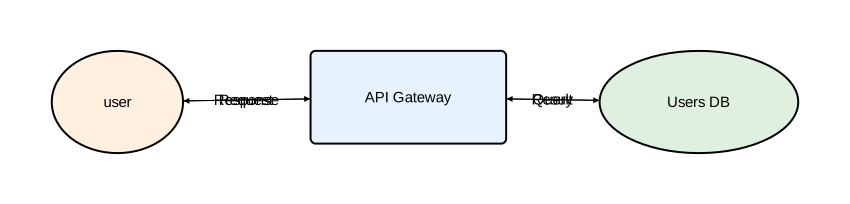
The ::* glob import brings all types from the library flat into scope. You can use Service, Database, and Client directly — no prefix needed.
Render it:
orrery main.orr -o main.svg
Use namespaced imports
If you prefer explicit namespaces, or need to avoid name collisions, use a namespaced import instead:
diagram component;

import "shared/styles";

api as "API Gateway": styles::Service;
db as "Users DB": styles::Database;
user: styles::Client;

user -> api: "Request";
api -> db: "Query";
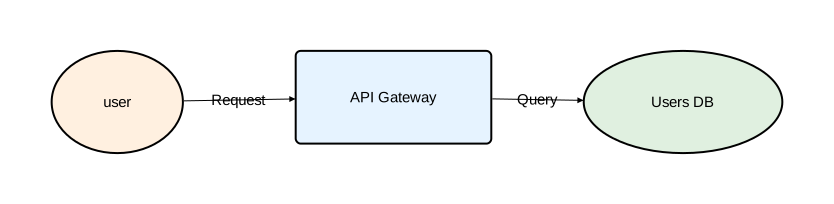
The namespace name comes from the last segment of the path — styles in this case. You can override it with as:
import "shared/styles" as theme;

api: theme::Service;
Extend imported types
Build on imported types to create specialized variants. Create shared/secure.orr:
library;

import "styles";

type SecureService = styles::Service[stroke=[color="red", width=2.0]];
type CriticalService = SecureService[fill_color="#8b0000", text=[color="white"]];
Then use both libraries in a diagram:
diagram component;

import "shared/styles"::*;
import "shared/secure" as sec;

api as "Public API": Service;
auth as "Auth Service": sec::SecureService;
db as "Users DB": Database;

api -> auth: "Authenticate";
auth -> db: "Verify";
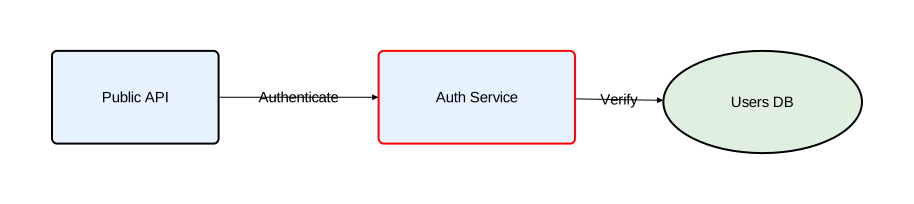
Glob and namespaced imports can be mixed freely. The glob gives you base types without a prefix; the namespaced import keeps specialized types clearly scoped.
Embed an external diagram
Create a reusable sequence diagram. Create auth_flow.orr next to main.orr:
diagram sequence;

import "shared/styles"::*;

client: Service;
server: Service;
database: Database;

client -> server: "Login";
server -> database: "Verify";
database -> server: "Token";
server -> client: "Authenticated";
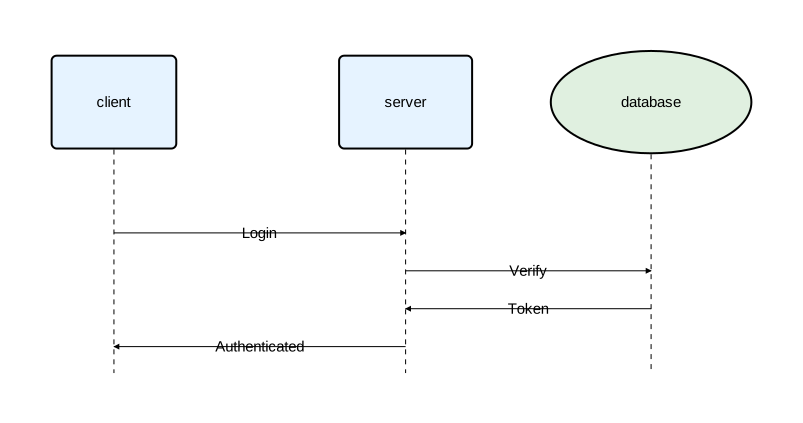
Now embed it inside a component in another diagram:
diagram component;

import "shared/styles"::*;
import "auth_flow";

auth_box as "Auth Service": Service embed auth_flow;
gateway as "API Gateway": Service;

gateway -> auth_box: "Authenticate";
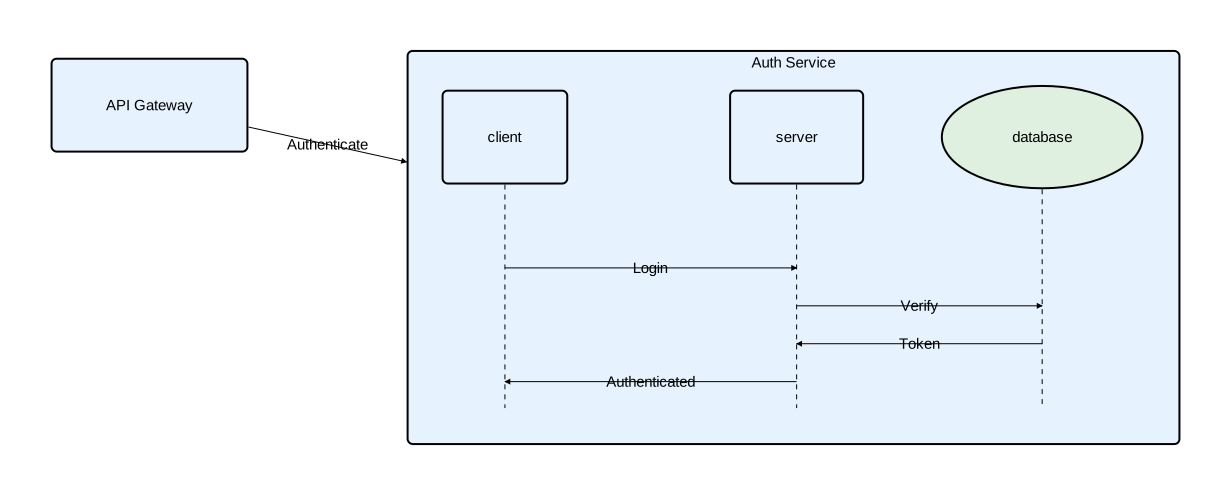
The namespaced import import "auth_flow" creates an embed reference. Using embed auth_flow on a component renders the imported diagram inside it.
Next steps
- Import Reference — complete syntax, namespaces, conflict resolution, and transitive re-export rules
- Type System Reference — type composition and attribute overrides
- Embedded Diagrams — inline and import-based embedding