Literals
Orrery has two literal value types: strings and floats. All attribute values use one of these types.
String literals
Strings are enclosed in double quotes and contain valid UTF-8 text. They work like Rust string literals.
"hello world"
""
"line 1\nline 2"
Escape sequences
| Escape | Character |
|---|---|
\" | Double quote |
\\ | Backslash |
\/ | Forward slash |
\n | Newline |
\r | Carriage return |
\t | Tab |
\b | Backspace |
\f | Form feed |
\0 | Null character |
Unicode escapes
Use \u{...} with 1–6 hexadecimal digits to insert any Unicode code point:
"arrow: \u{2192}"         // → (Rightwards Arrow)
"check: \u{2713}"         // ✓ (Check Mark)
"emoji: \u{1F602}"        // 😂 (Face with Tears of Joy)
"math: \u{221E}"          // ∞ (Infinity)
The code point must be valid (0x0000–0x10FFFF, excluding the surrogate range 0xD800–0xDFFF).
Direct Unicode and emoji
Since strings are UTF-8, you can include Unicode characters and emoji directly without escape sequences:
"→ Next step"
"✓ Passed"
"🔒 Secure connection"
"日本語テキスト"
Escaped whitespace
A backslash at the end of a line consumes the newline and any leading whitespace on the next line, joining them into a single line:
"This is a long string that \
 appears as a single line"
// Result: "This is a long string that appears as a single line"
Multi-line text
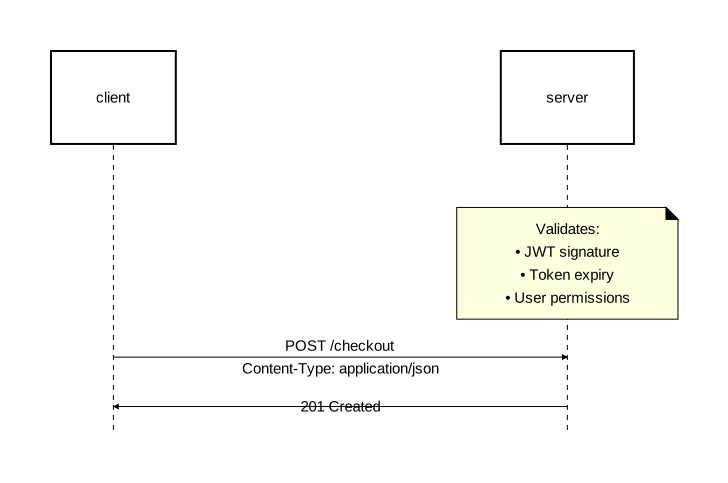
Use \n inside strings to produce multi-line text in the rendered output. This works anywhere a string is accepted:
diagram component;

orders as "Order\nService": Rectangle;
payments as "Payment\nGateway": Rectangle;

orders -> payments: "POST /charge\n(async)";
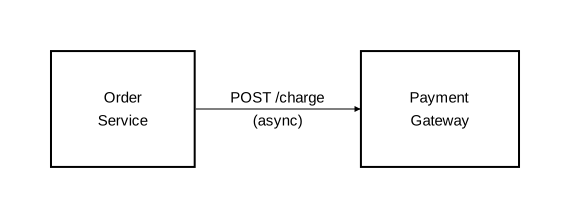
diagram sequence;

client: Rectangle;
server: Rectangle;

note [on=[server]]: "Validates:\n• JWT signature\n• Token expiry\n• User permissions";

client -> server: "POST /checkout\nContent-Type: application/json";
server -> client: "201 Created";
Unicode in labels
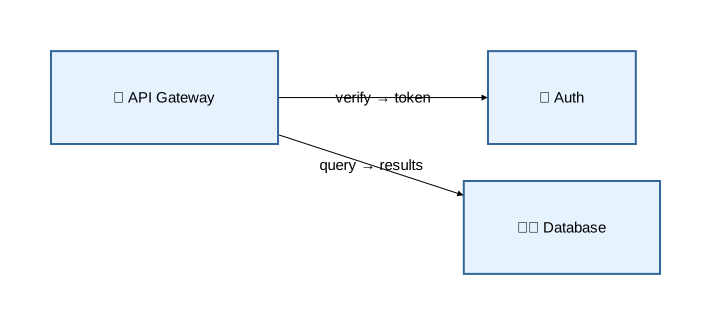
Direct Unicode and emoji work in all label positions:
diagram component;

type Service = Rectangle [fill_color="#e6f3ff", stroke=[color="#336699"]];

auth as "🔐 Auth": Service;
db as "🗄️ Database": Service;
api as "🌐 API Gateway": Service;

api -> auth: "verify → token";
api -> db: "query → results";
Float literals
Numeric values are stored as 32-bit floating-point numbers and support several formats:
| Format | Example | Equivalent |
|---|---|---|
| Standard | 2.5 | 2.5 |
| Whole number | 10 | 10.0 |
| Leading dot | .5 | 0.5 |
| Trailing dot | 5. | 5.0 |
| Scientific | 1.5e2 | 150.0 |
Scientific notation uses e or E with an optional sign: 2.5e-3 (0.0025), 1.23E+4 (12300.0).
Float literals are used for dimensions, sizes, and numeric attributes:
stroke=[width=2.5]
rounded=10
text=[font_size=16, padding=8.0]